

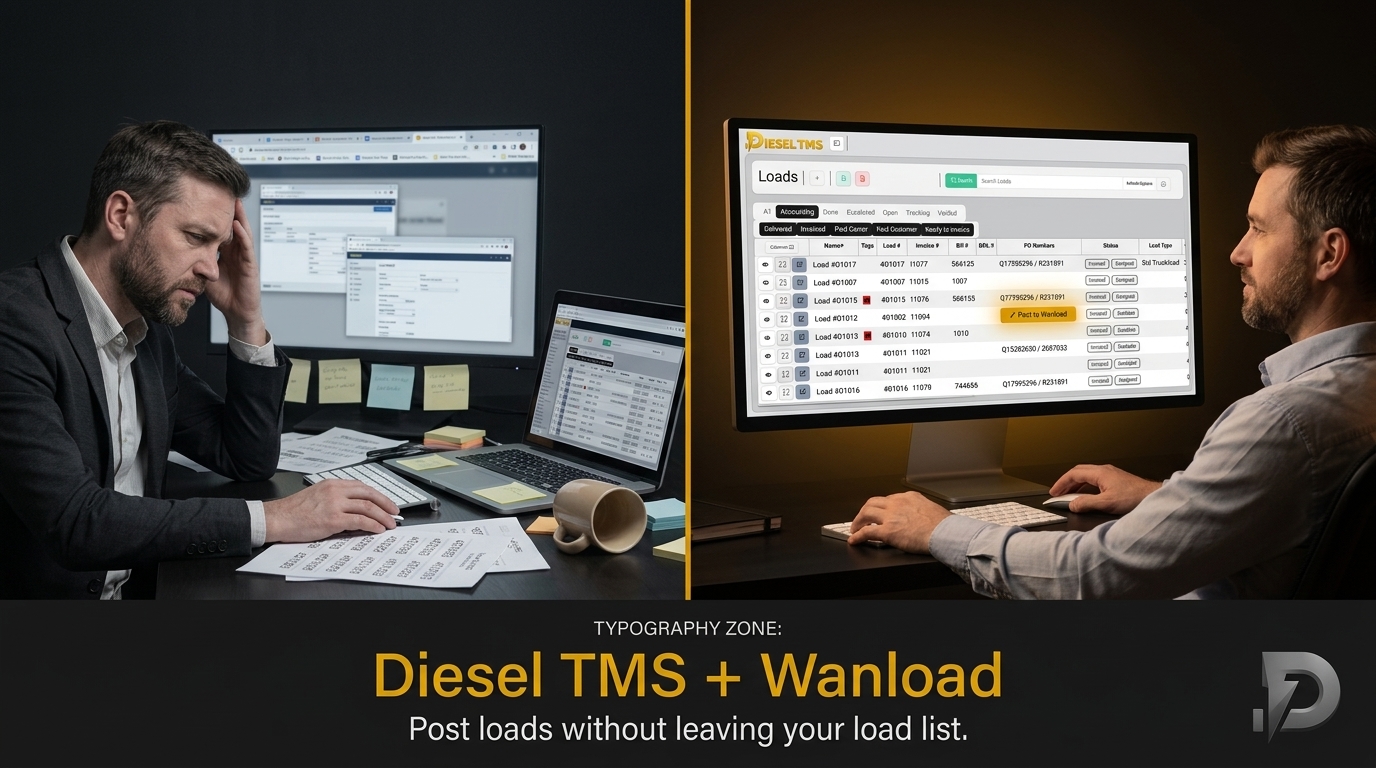
Switching between tools to post your loads wastes time and adds avoidable steps to your day. Diesel TMS now connects directly to Wanload, turning your load list into a posting hub. With just a few clicks, you move from managing freight to publishing it—without leaving one system or paying extra. Keep your workflow simple and get loads out faster with this clean, practical update.
Simplify Your Freight Management
Streamlined Load Board Posting
Switching tools just to post loads can be a hassle. Diesel TMS now turns your load list into a hub for load board posting. You can post loads directly to Wanload without any added steps, making your workflow smoother.
The integration with Wanload simplifies your process. When your load list doubles as a posting hub, you save time and reduce errors. Your data stays where you need it, so posting becomes a seamless extension of your load management tasks. This change means less jumping between systems and more focus on getting your loads out quickly.
Reduce Tool Switching with Diesel TMS
Imagine managing your freight without constantly changing platforms. That's what Diesel TMS offers. By reducing the need to switch tools, you keep all your information in one place, minimizing disruptions.
Diesel TMS helps you stay focused. With fewer tools to manage, you can spend more time on what matters: moving freight. Keep your workflow simple and efficient with everything you need in one system. This approach not only saves time but also reduces the likelihood of mistakes, as all your data is centralized and easy to access.
Post Loads to Wanload Instantly
Posting loads should be quick and easy. With Diesel TMS, you can now post directly to Wanload from your load list. This direct posting feature means fewer steps and faster load publishing.
Your load list is now your gateway to Wanload. By clicking a few buttons, your loads are out there, ready for business. This integration transforms the way you work, allowing you to manage and post loads in one seamless flow. It's a practical update that enhances your efficiency and keeps your operations running smoothly.
Connecting Diesel TMS & Wanload
Easy Integration Setup
Setting up the integration between Diesel TMS and Wanload is straightforward. You don’t need to be a tech expert. In just a few steps, your systems will be connected, and you'll be ready to post.
Start by accessing the integration settings in Diesel TMS. Follow the prompts to connect with Wanload. It's designed to be user-friendly, ensuring a hassle-free setup that anyone can handle. With this connection, your load list becomes a powerful tool for posting loads effortlessly.
In-System Posting Flow Explained
Once you're set up, posting from Diesel TMS to Wanload is a breeze. The process is designed to be intuitive, making it easy to publish loads directly from your load list.
- Access Your Load List: Open Diesel TMS and navigate to your load list.
- Select Your Load: Choose the load you want to post.
- Post to Wanload: With a simple click, your load is published.
This flow keeps your process simple and efficient. Everything happens within Diesel TMS, eliminating the need for external tools and reducing the chance of errors.
Track Your Load Status Effortlessly
After posting, tracking your load status is just as easy. Diesel TMS provides clear updates, so you always know what's happening with your loads.
Stay informed with real-time updates directly in Diesel TMS. You can monitor your loads from posting to delivery without leaving the platform. This transparency keeps you in control and ensures that you’re always up to date with your logistics operations.
Empower Your Logistics Operations
Benefits of a Free Plan
Diesel TMS offers a powerful free plan that includes essential features for brokers and carriers. You can manage loads, post to Wanload, and more without any hidden fees or credit card requirements.
The free plan is designed for flexibility and growth. Enjoy the benefits of a comprehensive TMS without the cost, making it ideal for small and medium-sized operations looking to optimize their logistics.
Unlimited Users and Loads
One of Diesel TMS's standout features is its unlimited capacity. You can have as many users and loads as you need without worrying about extra charges. This scalability ensures your system grows with your business.
Unlimited access means you can add team members and manage more loads without constraints. It's a solution that adapts to your needs, allowing you to focus on expanding your operations rather than managing limitations.
AI Email to Quote & Custom Rate Confirmations
Enhance your operations with AI-driven features. Diesel TMS offers AI email to quote capabilities and custom rate confirmations, streamlining your workflow and reducing manual tasks.
These features save time and improve accuracy. AI tools help turn emails into quotes faster, while custom rate confirmations ensure your documents are precise and professional. It's about making your logistics operations smarter and more efficient.
Frequently Asked Questions
How do I set up the Diesel TMS and Wanload integration?
To set up the integration, access the integration settings in Diesel TMS and follow the easy prompts. It's designed for a straightforward setup that connects your systems quickly.
What features are included in the Diesel TMS free plan?
The free plan includes load management, posting to Wanload, AI email to quote, and custom rate confirmations. There are no hidden fees, making it a cost-effective choice for logistics operations.
Can I track my load status within Diesel TMS?
Yes, Diesel TMS provides real-time updates on your load status. You can monitor your loads from posting to delivery, keeping you informed every step of the way.
Hear real success from Diesel TMS users—join the growing community today.